Unifying Disconnected Departments: How Custom Software Can Transform Your Business
Category: Custom Software
Brand: Kikao Systems — Scale Your Business
When every department works hard, but the business still moves slowly
Imagine a growing distribution company in Kenya.
The sales team receives orders through WhatsApp and phone calls. The accounts department records payments in spreadsheets. The warehouse team maintains a separate stock register, while management waits for end-of-week reports to understand how the business is performing.
Everyone is busy. Orders are coming in. Customers are being served. Yet, somehow, things keep falling through the cracks.
A customer pays, but the warehouse has not received confirmation. Sales promises a product that is already out of stock. An invoice is delayed because someone is waiting for information from another department. Management asks a simple question—how much stock do we have, and which orders are still pending? — but getting a reliable answer takes hours.
No one is necessarily doing their job badly.
The real problem is that the systems connecting their work are missing.
As businesses grow, informal processes and separate tools that once seemed manageable can become expensive bottlenecks. More employees, more customers and more transactions create more opportunities for delays, duplicated work, inconsistent records and missed information.
This is where custom software can make a meaningful difference.
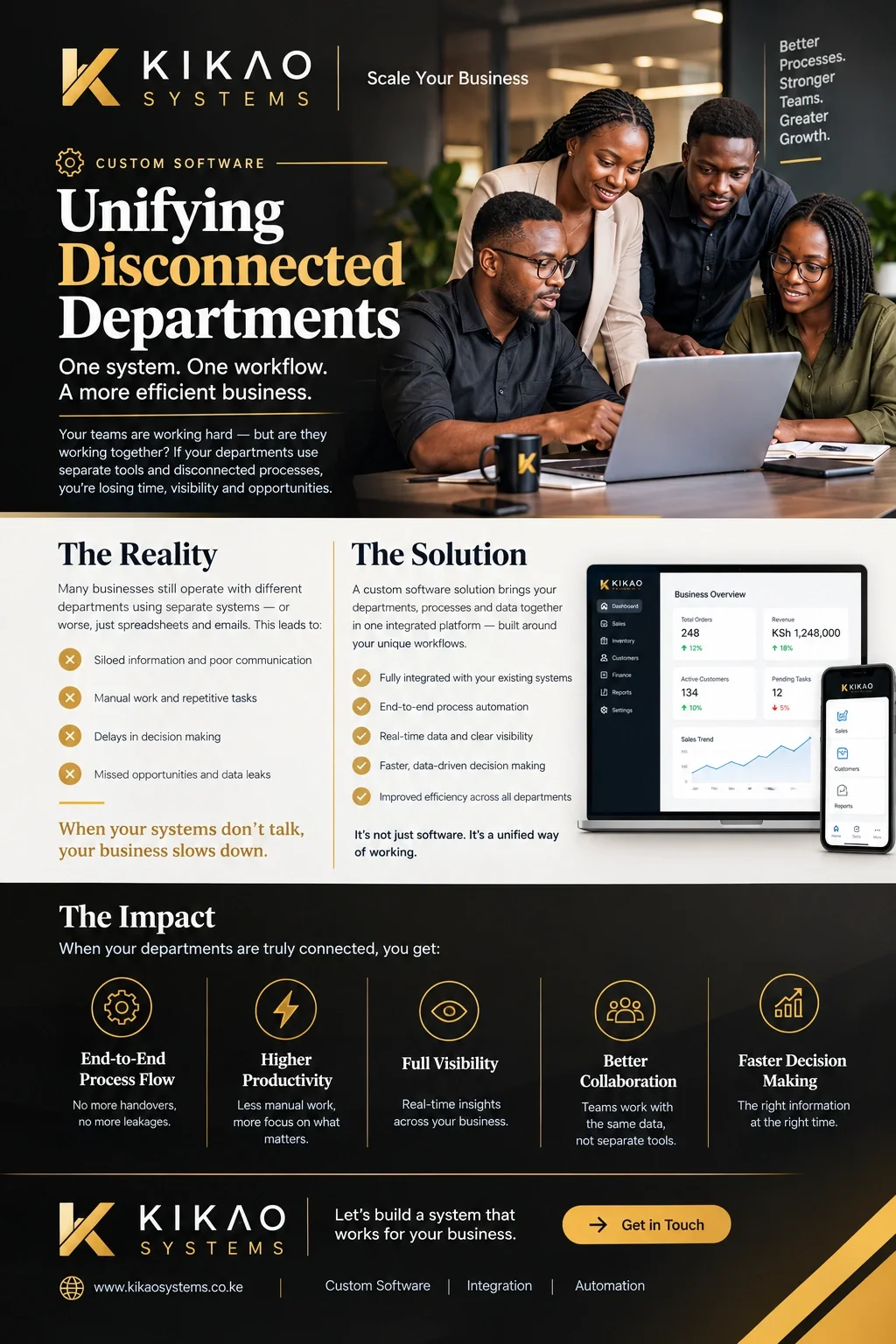
The hidden cost of disconnected departments
Many businesses do not realize how much time they lose coordinating work between departments.
Consider what happens when every team uses a different system or maintains its own records.
1. Information gets trapped in silos.
Sales knows what the customer ordered. Finance knows whether the customer paid. Operations knows whether the order has been processed. But if these departments cannot access the information they need, employees spend valuable time calling, messaging, and following up.
The business may have all the information it needs—just scattered across different places.
2. Manual handovers create gaps.
When a process depends on someone remembering to send an email, update a spreadsheet or notify another department, there is room for human error.
A task can be forgotten. A record can remain outdated. A customer can be left waiting because the next person never received the information they needed.
These gaps are especially costly when a process involves several departments before it is complete.
3. Decisions take longer than they should.
Management needs accurate, timely information to make decisions about stock, cash flow, staffing, sales, and business performance.
But when reports must be collected and reconciled manually, decision-makers often work with information that is incomplete or already outdated.
Instead of responding to a problem early, the business discovers it after the damage has been done.
4. Growth creates more complexity instead of more efficiency.
A business can survive with manual processes when transaction volumes are low. But as the company grows, the same processes may require more employees, more follow-ups, and more administrative work.
Without better workflows, growth can increase operational complexity rather than improve productivity.
The goal should not simply be to make employees work faster. It should be to make the work itself flow better.
The solution: software designed around your business
This is where custom software comes in.
Unlike a generic application that expects your business to adapt to its predefined processes, a well-designed custom solution can be built around your existing workflows, operational requirements, and business goals.
At Kikao Systems, we approach custom software as more than an application development exercise. We look at how work moves through the organization, where information gets stuck, where tasks are repeated, and where better coordination could make the biggest difference.
The result is a system designed to help departments work together rather than operate as separate islands.
Here is what that can look like in practice.
1. Connect the entire process from beginning to end.
Imagine a customer places an order.
Instead of sales recording the order in one place, finance confirming payment elsewhere, and the warehouse relying on a separate message, a connected system can coordinate the process.
Depending on the business requirements, the workflow could:
-
Record the order and make it visible to the relevant team.
-
Check stock availability.
-
Trigger a payment verification or approval step.
-
Notify the warehouse when an order is ready for fulfillment.
-
Update the order status as it moves through the process.
-
Record dispatch and completion.
-
Keep the relevant customer and management records updated.
Each stage has a defined next step, responsible person, and status.
Where an action requires human approval, the system can route it to the appropriate person rather than attempting to automate the decision blindly.
This is what end-to-end workflow management looks like: information moves with the work, and each department knows what needs to happen next.
2. Reduce process leakages and unnecessary manual work
A business should not have to rely entirely on someone's memory to keep important operations moving.
Custom software can introduce mandatory fields, validation rules, task assignments, approval workflows, reminders and audit trails where appropriate.
For example, a procurement request might require an approved budget before it proceeds. A sales order might need payment confirmation before dispatch. A pending approval might trigger a notification when it exceeds an agreed timeframe.
These controls help prevent avoidable omissions and make it easier to identify where a process has stalled.
No system can eliminate every human error, but a properly designed workflow can reduce preventable gaps and make exceptions visible earlier.
3. Give every department the information it needs.
A connected system can provide different teams with a shared, reliable view of the information relevant to their responsibilities.
Sales can check order status. Finance can review payment records. Operations can monitor pending tasks. Management can view consolidated performance indicators.
Rather than repeatedly asking colleagues for updates, employees can access information through a central system, subject to their roles and permissions.
This improves transparency without requiring every employee to access every business record.
The result is less time spent searching for information and more time spent acting on it.
4. Make decisions using timely, reliable information
Good decisions depend on good information.
When business processes are connected, data can be captured as work happens instead of being assembled from multiple spreadsheets at the end of the week.
Management dashboards can show indicators such as:
-
Orders received, processed, and awaiting fulfillment.
-
Stock levels and products requiring replenishment.
-
Pending payments and outstanding invoices.
-
Tasks awaiting approval.
-
Departmental performance and process turnaround times.
The exact indicators depend on the business. The important point is that management can move towards making decisions from current operational information rather than relying solely on delayed reports and assumptions.
5. Improve efficiency without forcing your business into a generic workflow.
Every organization has its own way of operating.
A distributor may need stock management, order fulfillment, and credit control. A service company may need project tracking, task assignments, and client approvals. A manufacturing business may need production planning, quality checks, and inventory coordination.
A one-size-fits-all application may cover some requirements but leave important gaps.
Custom software gives the business an opportunity to address those gaps directly. It can also integrate with existing applications where it is technically and commercially practical, rather than requiring every system to be replaced.
The aim is not to build something complicated just because it is custom. It is to build what the business needs, integrate what already works, and simplify the processes that slow people down.
How Kikao Systems helps businesses work smarter
At Kikao Systems, we believe technology should solve operational problems and support business growth.
Our approach begins with understanding how your business works today.
First, we map your workflows. We identify how information moves between departments, who is responsible at each stage, and where delays, duplication, or missing information occur.
Next, we identify the right solution. This may involve custom software, workflow automation, integration between existing applications, or a combination of these approaches.
Then, we build around your requirements. We design a solution that reflects your processes, access controls, reporting needs, and operational priorities.
Finally, we test, implement, and improve. We help ensure that the system supports real working conditions, that users understand their responsibilities, and that the solution can evolve as the business grows.
The objective is practical: fewer unnecessary handovers, clearer accountability, better visibility, and more efficient operations.
Your business does not need more software. It needs better-connected processes.
Before investing in another application, ask yourself:
-
How many times does the same information get entered into different systems?
-
How often do employees have to call or message another department for an update?
-
Can management see the current status of important processes without waiting for a report?
-
Can you identify who is responsible when a task gets stuck?
-
What happens when the employee who knows a process best is absent?
If these questions reveal recurring operational gaps, the answer may not be another spreadsheet or another disconnected tool.
It may be time to rethink how your systems work together.
Kikao Systems helps businesses turn disconnected processes into connected workflows — so teams can collaborate better, make informed decisions faster and operate with greater efficiency.
Let's understand your business, identify the gaps and build a system that works for the way you operate.
Kikao Systems — Scale Your Business.
Visit https://kikaosystems.co.ke to start a conversation about custom software, workflow automation and business systems integration.
Discussion 0